In my previous article What is One Dynamics One Platform? we covered the introduction of One Dynamics One Platform. In this article, lets deep dive into One Admin.
As mentioned in my last article, Finance and Operations apps are managed using LCS. Under One Admin vision, Microsoft will be migrating the Administration capabilities to Power Platform.
If you have not read about Power Platform convergence, I suggest to go through this link Power Platform Convergence.
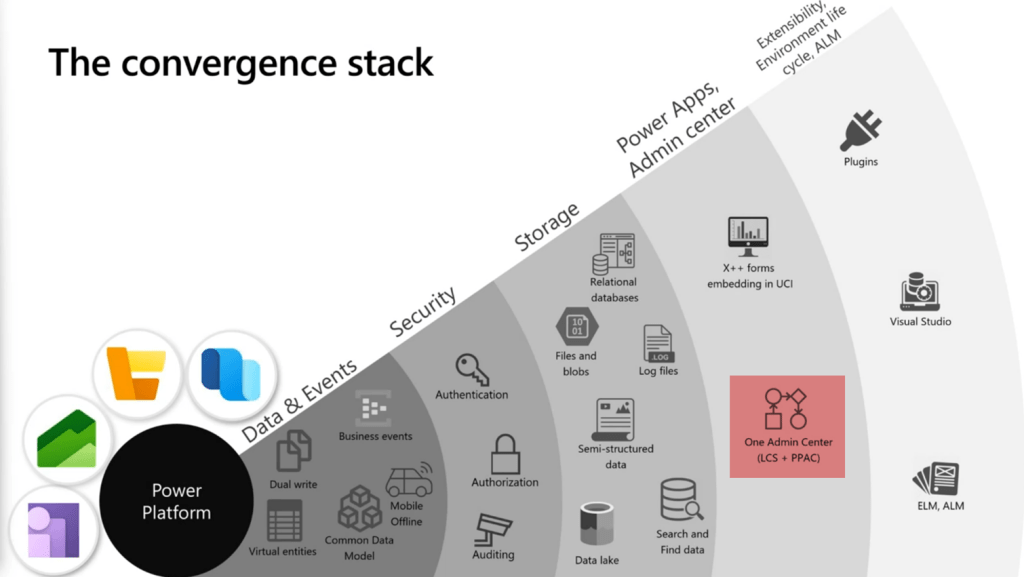
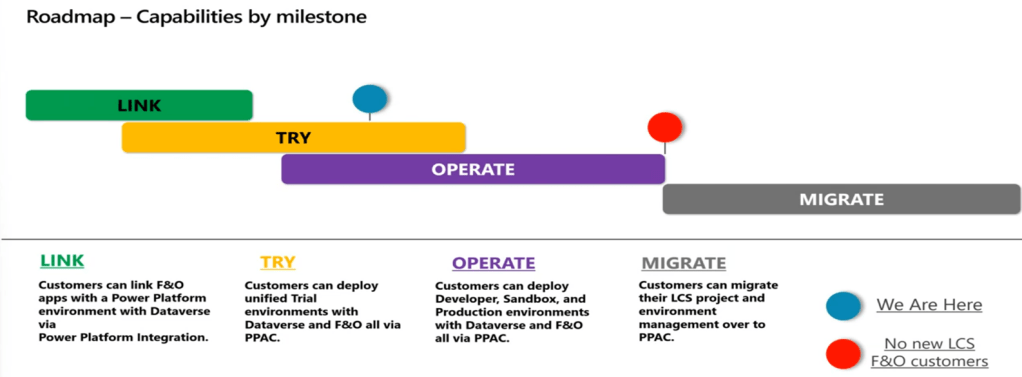
One Dynamics One Platform is a journey which will be covered in upcoming years. One Admin will be achieved after four milestones Link, Try, Operate and Migrate are completed.
Link phase is completed, currently we are at Try Phase and after Operate milestone, Microsoft will no longer take new customers. However, there will still be many existing customers who will be migrating from LCS to Power Platform under the last milestone.
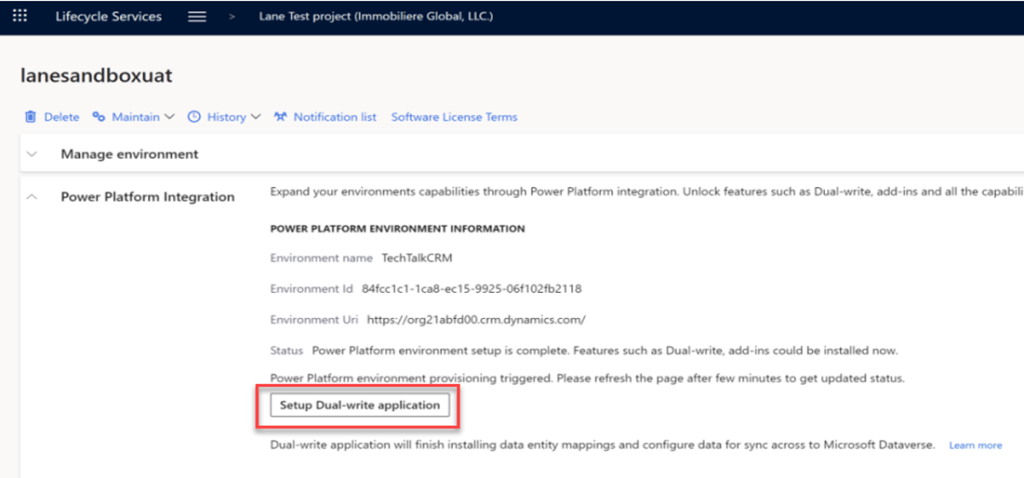
Linking Power Platform to D365 F&O Environment
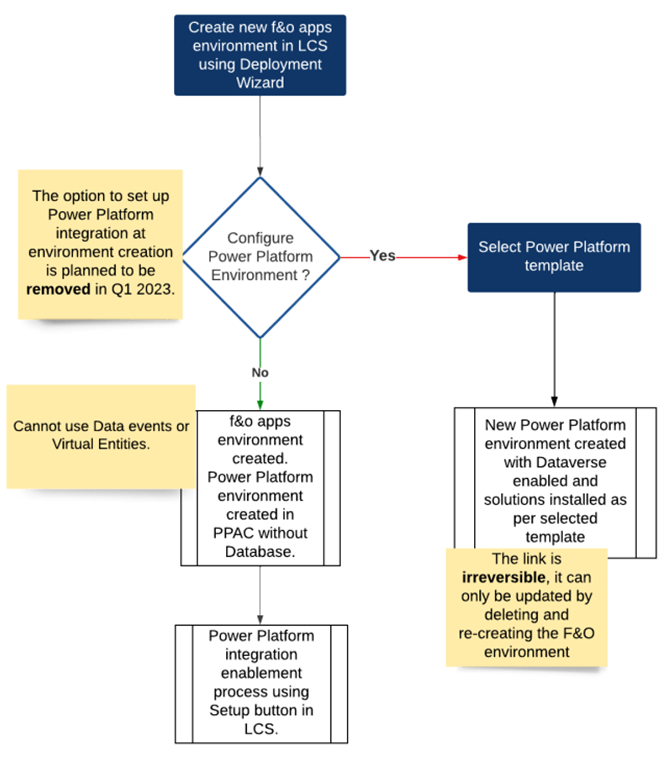
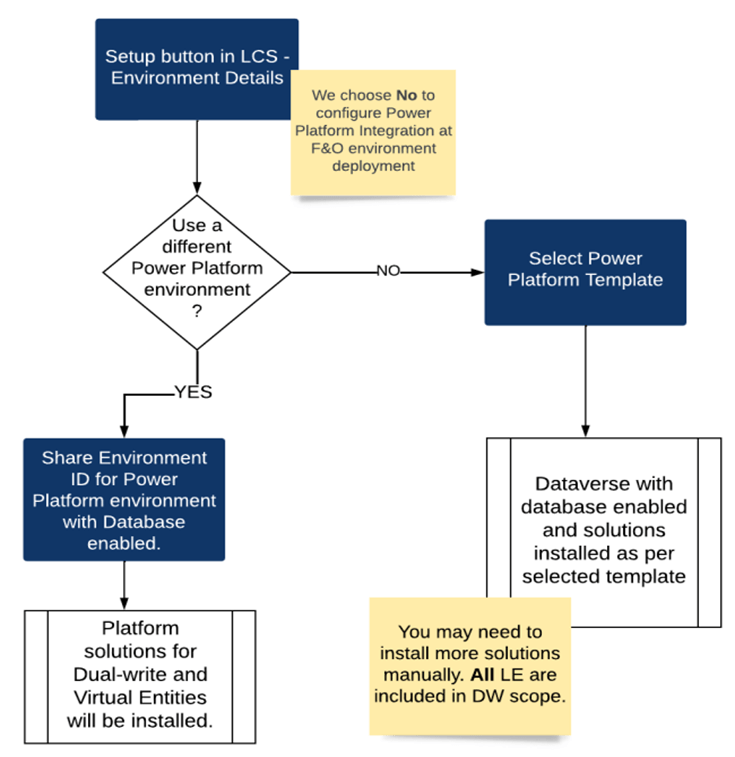
Power Platform can be linked with D365 F&O environment via LCS as shown below. A new Dataverse instance can be created, or an existing instance can be selected to link with F&O environment. The existing instance can be linked by providing Power Platform Environment ID in the Power Platform Integration Setup form which appears on click of below highlighted button. This step of linking environments is irreversible.
There is a Finance and Operations URL field in Power Platform Environments. Power Platform administrators can easily verify D365 environment linked using this field. Along with F&O, CE environment URL is also displayed at same form, making it easier to maintain.

D365FO Dual Write Link/Unlink will become Reset
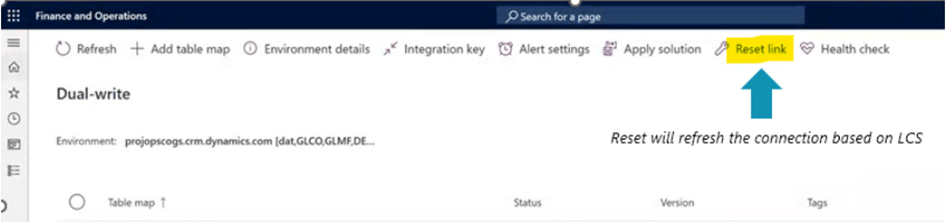
Power Platform linking will become one of the pre-requisites for dual write linking. Link and Unlink buttons will be replaced by Reset button. Microsoft is replacing these buttons to prevent linking one Dataverse instance from dual write and another from LCS. So, Dataverse instance can only be linked from LCS and can be reset from Dual write form in F&O.
Reset button will clear configuration tables after Database refresh and this functionality will be available from Feb 2023.
If there is mismatch in linked environments in Dual-write and LCS, then system will throw below error and Microsoft recommends to not ignore it.

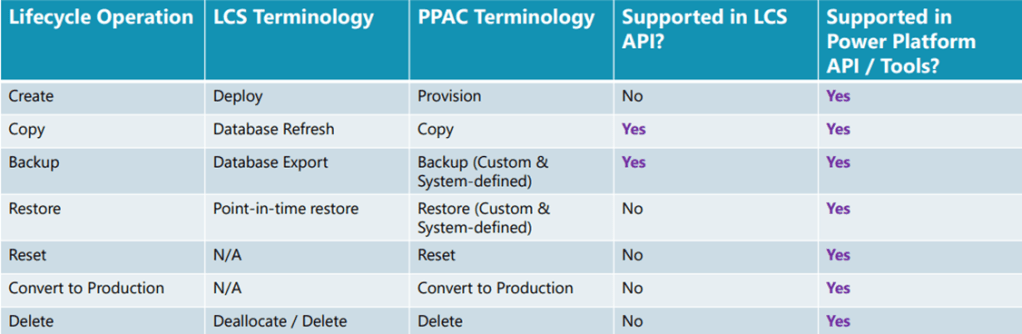
LCS & Power Platform Environment Lifecycle Concepts
D365 F&O folks are accustomed to LCS terminologies so its good time to learn those in Power Platform. In terms of APIs, without any doubt Power platform has the upper hand.
Changes in Enabling Power Platform during F&O Environment is being Deployed
Power Platform environment can be created along with creation of D365 F&O Environment. For Sandbox and production environments, Microsoft will remove this feature and it can be created only after F&O environment is deployed. There is no change for Tier1 environments.
Recommended Approach for Sandbox & Production Environments
As mentioned above, once D365 F&O environment is deployed then the below steps should be initiated.
Microsoft has provided demo of current options available under this vision in a Tech Talk. To gain more insights please go through the recording from below link
 MOHIT RAMPAL - DYNAMICS 365 F&O BLOG