What is a Cookie Replay attack?
A replay attack is a type of network attack in which an attacker discovers a data transport and fraudulently has it delayed or repeated. A cookie replay attack happens when an attacker obtains a user’s legitimate cookie and uses it again to pretend to be that user and carry out unlawful or fraudulent operations.
There have been many hacking incidents happened few months ago like in Optus (a telecommunication company) where millions of customers data was breached. Recently, during purchase of a real estate property, an elderly couple lost nearly five hundred thousand dollars to a fraud because they received an email from their solicitor including bank details to transfer the funds for settlement. Now, I am not expert in hacking, but I would imagine it can be done by Cookie replay attack where hacker has gained access to this Solicitors session cookie, retrieved, and manipulated email by changing bank details and delayed the email. Please note that as long the cookie is valid, attackers will have access to everything that users can do with their accounts.
How to Block cookie replay attacks in Dataverse?
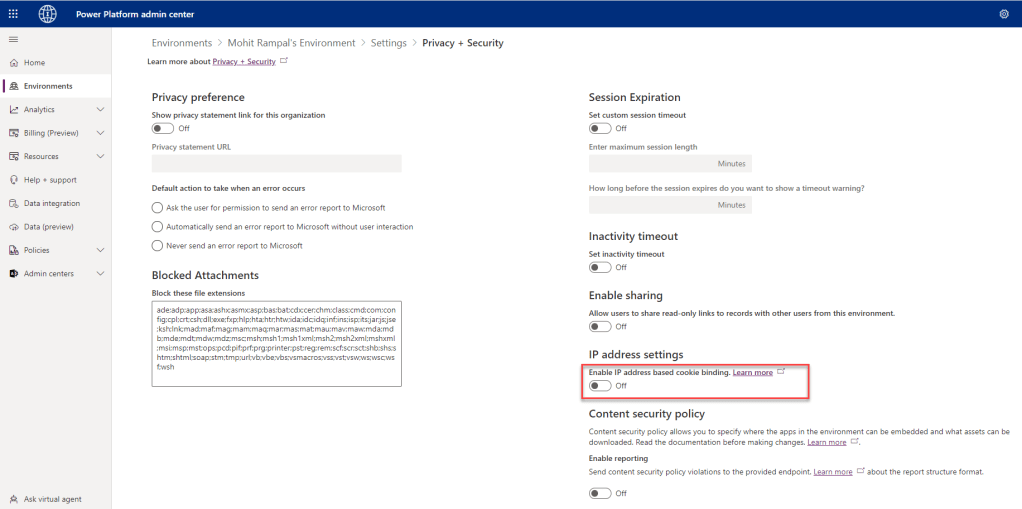
Session hijacking exploits in Dataverse can be prevented with IP address-based cookie binding. If IP address-based cookie binding is enabled, then even if someone gains access to cookie when that person tries to use cookie from different computer to gain unauthorized access to Dataverse, system will compare the IP address with the IP address of computer from where cookie was originated. In case of mismatch, system will throw error and will not allow access.
How to Enable IP address-based cookie binding?
IP address-based cookie binding can be enabled from Power Platform admin center https://admin.powerplatform.microsoft.com/
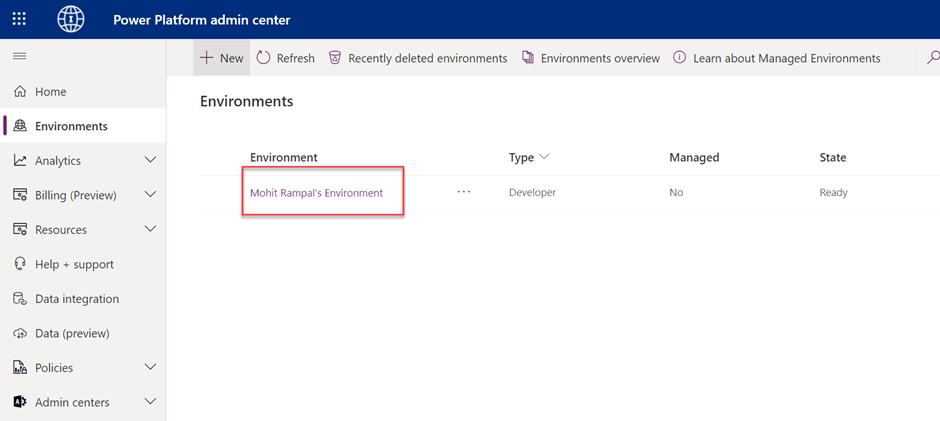
- Go to Power Platform admin center and click on Environment
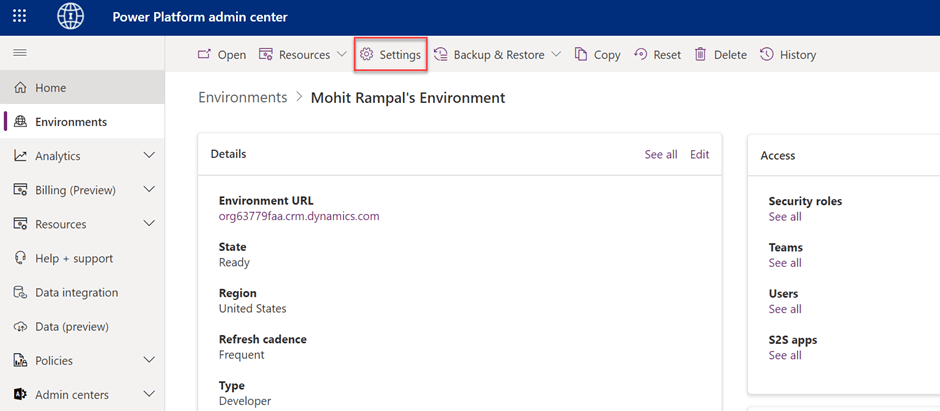
- Click on Settings Button
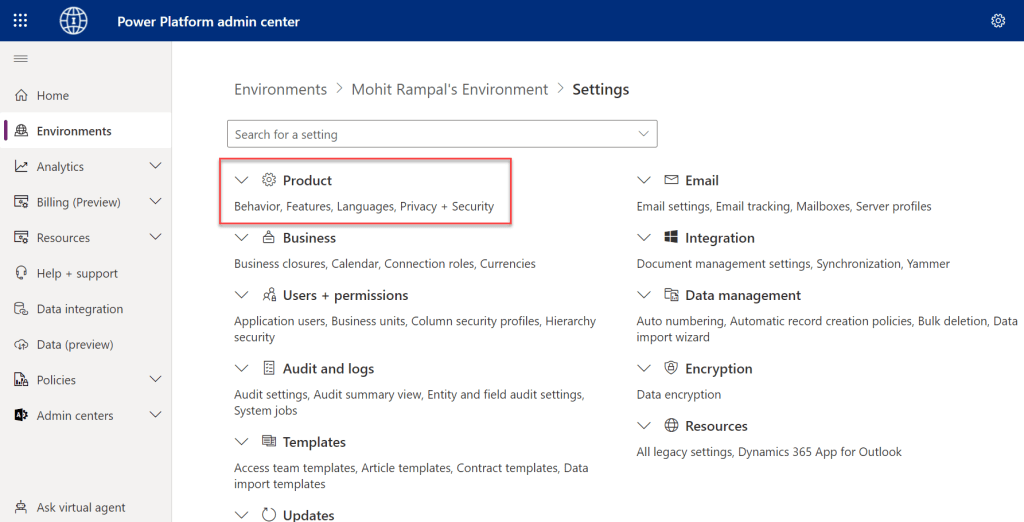
- Expand Product and click on Privacy + Security.
- Enable IP address based cookie binding.
Key notes
- This feature is disabled by default and Administrators must enable it in the Power Platform admin center.
- The value change in IP address cookie binding typically takes effect in about five minutes.
- If the user connects to Dataverse from the same IP address with the old, valid cookie, Dataverse will accept the cookie.
- If the traffic between your network and Power Platform is configured to use reverse proxy having dynamic IP address, IP-based cookie binding won’t work.
For more information go to https://learn.microsoft.com/en-us/power-platform/admin/block-cookie-replay-attack
 MOHIT RAMPAL - DYNAMICS 365 F&O BLOG
Leave a comment