As you know BYOD (Bring your own Database) is quite easy to setup in Azure Portal and configure in Microsoft Dynamics 365 for Finance and Operations. It runs smoothly provided server threshold limit is not maxed out. Therefore, we generally not bother monitoring the health of Azure SQL Database (BYOD) in Azure Portal. However, if you are in situation where most of export to BYOD batch jobs are stuck in Executing state or not completing in time. Then you should already be equipped with knowledge of monitoring the server.
Firstly, you would need the name of your BYOD SQL server and Database. To fetch this information, in D365 F&O
- Go to Workspaces–>Data Management–>Configure entity export to database and click on BYOD (As this is String field, it can be any name, but Type will be Azure SQL DB).

2. Go to Azure portal https://portal.azure.com/
3. Find Database name in the Search bar. It will be visible only if you have access to this resource in Azure portal.
4. As you can see, you can check Compute Utilization in the Overview Tab.
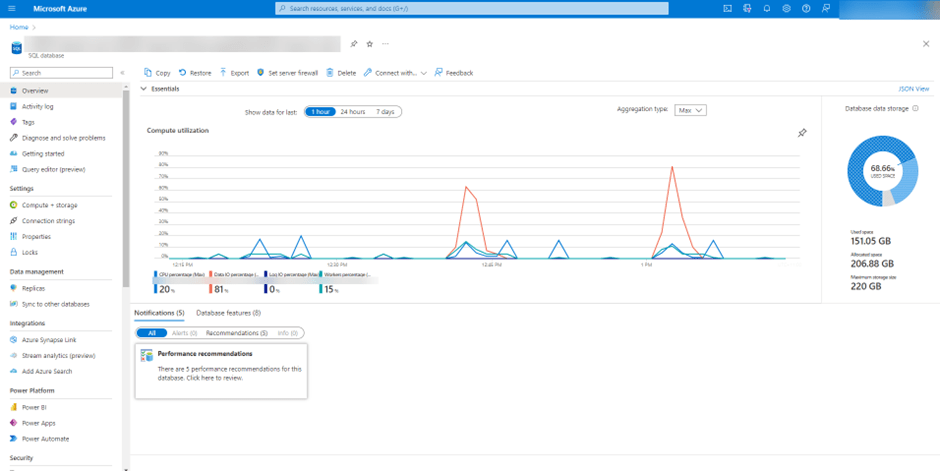
The above graph was for last one hour. However, if you click on the graph, you can change the time as per your requirement.
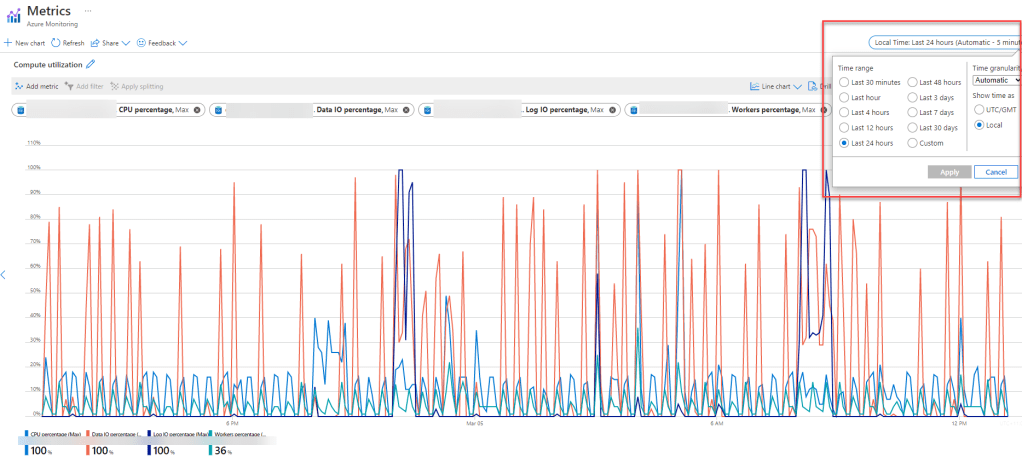
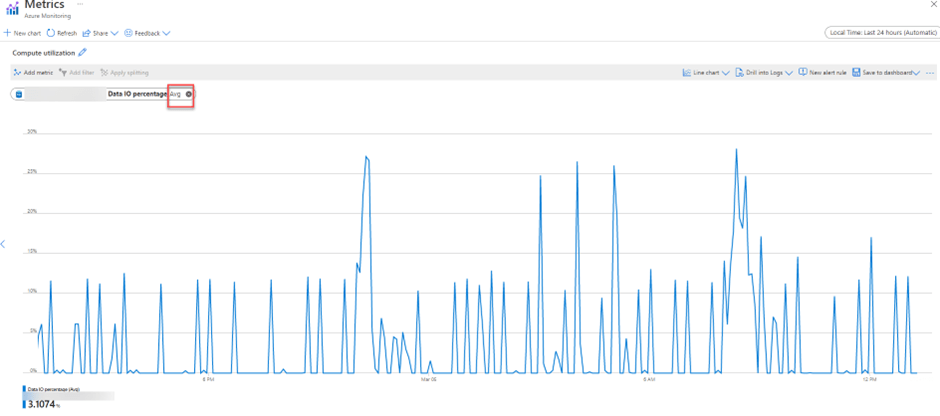
Another point to consider while monitoring is that all these above graphs are on Max aggregation which should not be only metric to Health Check of server. You should change the Metric and review Average aggregation as well for all Metrics. Also, you can remove unwanted metrics and focus on one as shown below.
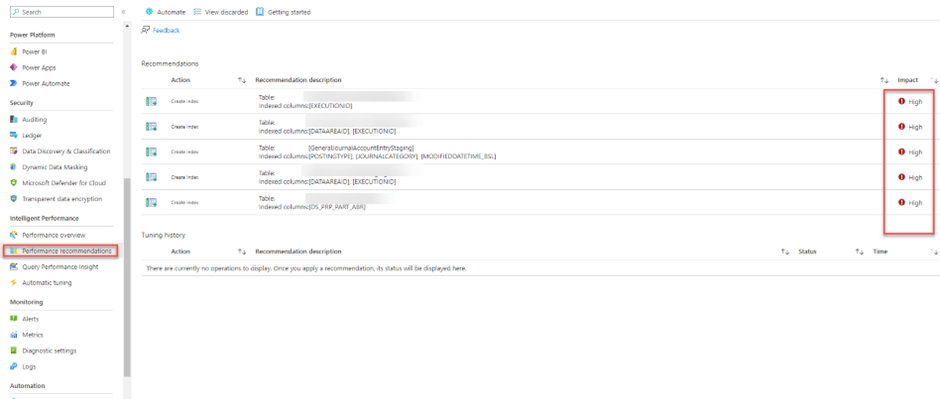
System provides performance recommendations for Azure SQL Database which can be accessed as shown below.
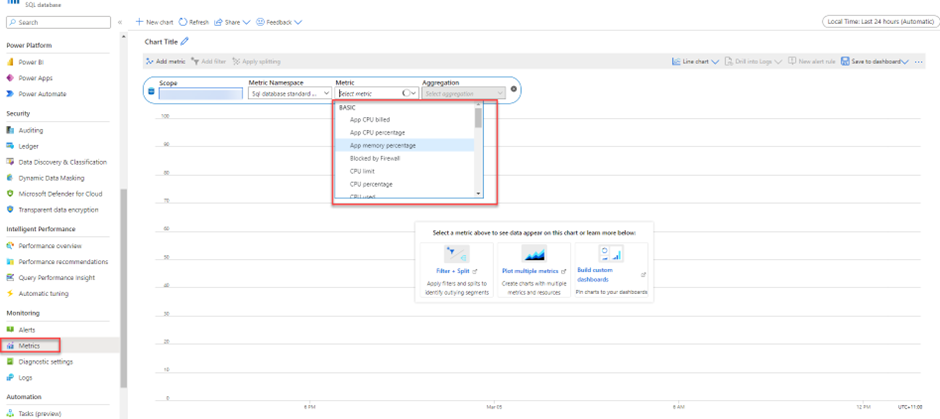
More metrics can be added in the graph as shown below.
 MOHIT RAMPAL - DYNAMICS 365 F&O BLOG