Have you ever faced performance issues in D365 F&O cloud hosted environment? If yes, then you will understand the pain to work in a slow development environment. There can be many reasons for performance issues, but inadequate hardware configuration is one the main culprit. You can find the size of your development environment from Azure... Continue Reading →
Steps to fix Barcode Font Issue in printer
You might have observed that barcodes work while printing SSRS report to screen. However, in network printers the barcodes do not work. The main reason of barcodes issue is that barcodes fonts will be missing in DRA virtual machine. To fix it you need to install the barcode fonts. As shown below, when I tried... Continue Reading →
Limitations of BYOD in D365 F&O
Bring your own Database (BYOD) is a feature in D365 F&O that enables the customers to store business data in their own databases. The data is exported to BYOD database using data entities. You can create global reports from all legal entities using BYOD database. In D365 F&O, BYOD is mainly used for Power BI... Continue Reading →
How to use Trace and Trace Parser in D365 F&O
Any application at some point faces slow performance issues. It can be due to bad designs, incorrect configurations, or any other reason. Microsoft Dynamics 365 for Finance and Operations is no exception and we have faced many issues & complaints from users about slowness of form/process in the application. To investigate, we generally collect trace... Continue Reading →
Document Routing Agent in D365 F&O
The Document Routing Agent (DRA) is an application that resides on the Customer’s network, to act as a bridge between the internet-hosted Dynamics 365 (D365 F&O) system and Customer’s network printers. DRA tool is Supported on Windows 8.1, Windows 10, Microsoft Windows Server 2012 R2, Microsoft Windows Server 2016, or Microsoft Windows Server 2019. DRA... Continue Reading →
Data Migration Do’s & Don’ts in D365 F&O
Any Dynamics 365 Finance and Operations implementation or upgrade project generally include data migration (D365FO). It includes transferring data from a source system to a target system, and the process can be difficult and complicated. However, it can be carried out smoothly and effectively with proper planning, preparation, and execution. In this article, I will discuss... Continue Reading →
Feature callouts in D365FO
Feature callout is a standard functionality to raise awareness about new capabilities to users while they are using the product. You might have seen pop up messages from system like below screenshot. These messages are controlled by feature callout functionality. Feature callout functionality is available from Platform update 26. Feature callouts can be used to... Continue Reading →
Reset Power Portal Connection
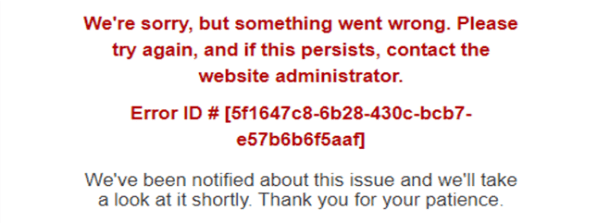
While cloning D365 F&O and CE development environments, I faced the below error when tried to access Power Portal. The Website Bindings were updated with relevant portal apps portal URL as shown below. After investigation, I found that this issue occurs because now the connection between Dataverse and Power apps portal gets broken after updating... Continue Reading →
Monitor D365 F&O BYOD Performance
As you know BYOD (Bring your own Database) is quite easy to setup in Azure Portal and configure in Microsoft Dynamics 365 for Finance and Operations. It runs smoothly provided server threshold limit is not maxed out. Therefore, we generally not bother monitoring the health of Azure SQL Database (BYOD) in Azure Portal. However, if... Continue Reading →
Embed D365 F&O Forms & Workspaces in Microsoft Teams
I have observed many organizations using Microsoft Dynamics 365 for Finance and Operations (D365 F&O) using Microsoft Teams for workplace chat and videoconferencing. Now, this is not mandatory, and you may have noticed some organizations using other applications like Zoom, Slack etc. instead of MS Teams. However, in this article we will go through how... Continue Reading →