You can track users login history along with information like date & time of access, how long they were online, which session Id they used etc. This information can be very useful for some departments in your organization. Last week, I was told to fetch the last login of all users in last one month.... Continue Reading →
Vendor Bank Account Workflow (Out of the box feature)
The vendor bank approval workflow streamlines the process of setting up and managing vendor bank accounts. It ensures that the bank information that suppliers submit is safe, legally sound, and fraud-proof. By identifying and stopping unauthorized changes, this feature lowers the risk of fraud. Business can assess any incoming changes to a supplier's bank account... Continue Reading →
Alerts with multiple conditions in D365FO
As you know, we can create custom alerts on form to get notified if the data is changed or due date is passed. When we set an alert, system give an option to choose all fields or a specific field. If we select a specific field, whenever there is a change in that field for... Continue Reading →
Priority-based Batch Scheduling
Priority-based batch scheduling enables users to assign a priority level to each batch job. The priority level determines the order in which jobs are executed, with higher priority jobs being processed before lower priority jobs. This enables users to control the sequence of job execution and ensures that critical tasks are completed in a timely... Continue Reading →
Throttling Prioritization
Throttling Prioritization or Priority-based throttling is a mechanism to ensure that system resources are used in an effective and efficient manner. It works by allocating system resources based on the priority of different requests. This means that high-priority requests are given priority access to the resources they need, while lower-priority requests may be throttled or... Continue Reading →
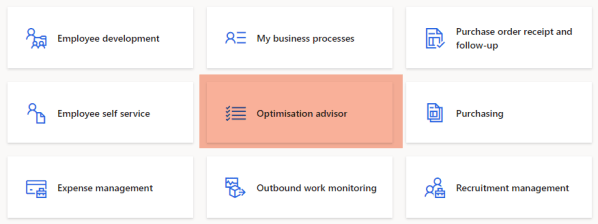
Optimization Advisor
Have you ever investigated an issue and found out that that root cause was an incorrect configuration or invalid business data. These issues can be handled or avoided by Optimization Advisor workspace. The Optimization advisor is an out of the box workspace that lets power users, business analysts, functional consultants, and IT support functions identify issues... Continue Reading →
Block cookie replay attacks in Dataverse
What is a Cookie Replay attack? A replay attack is a type of network attack in which an attacker discovers a data transport and fraudulently has it delayed or repeated. A cookie replay attack happens when an attacker obtains a user's legitimate cookie and uses it again to pretend to be that user and carry... Continue Reading →
Proactive Quality Updates
Microsoft has made significant progress on One Version strategy. The strategy is to get all customers on the same software version which will enable Microsoft to fix known issues for all customers more quickly. Proactive Quality Updates fall under One Version umbrella. Quality updates are cumulative builds of hotfixes. They don't include new features. Proactive quality... Continue Reading →
Microsoft Azure Data Platform
Microsoft's Azure Data Platform is a group of cloud-based services for organizing and analyzing data. Among these services are: Azure Data Lake Storage Microsoft Azure offers a fully managed data lake service called Azure Data Lake Storage. Data can be processed and retrieved using a range of tools and technologies, including HDInsight, Azure Data Factory,... Continue Reading →
Logic Apps vs Power Automate
Power Automate and Logic Apps are both powerful tools for automating workflows and integrating various services, but they have different strengths and use cases. Power Automate is a cloud-based service that allows users to automate and streamline their business processes. It allows users to create custom workflows that integrate with a wide range of services,... Continue Reading →